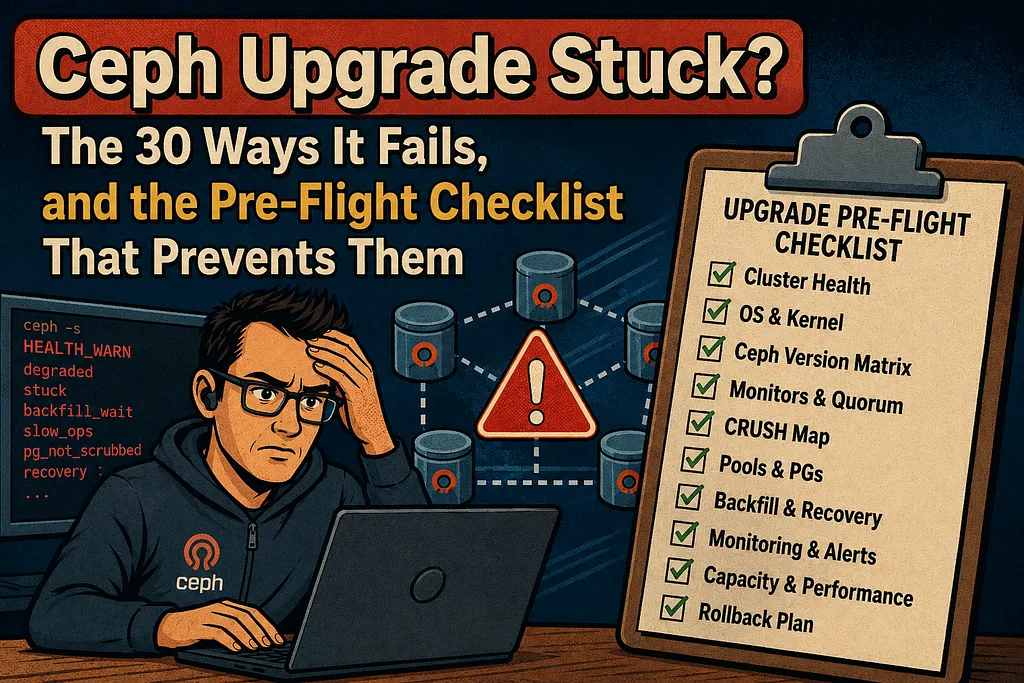
Ceph Upgrade Stuck? The 30 Ways It Fails, and the Pre-Flight Checklist That Prevents Them
Why cephadm upgrades stall, why OSDs won’t restart after a version jump, and how to make your next upgrade boring.
Why cephadm upgrades stall, why OSDs won’t restart after a version jump, and how to make your next upgrade boring.
A Ceph upgrade is the most dangerous routine operation in storage. It is routine because you have no choice: releases go end-of-life, security fixes only land on the newest branches, and every cycle you skip makes the eventual jump bigger. It is dangerous because an upgrade touches every daemon in the cluster, one after another, while production traffic keeps flowing. When it goes well, nobody notices. When it goes badly, you are rebuilding a monitor store from OSDs at four in the morning.
This is a field guide to the ways those upgrades actually die. Around thirty distinct failures, from a single stuck daemon to a 306-OSD cluster that lost monitor quorum mid-upgrade, all of them real production incidents. For each one: what broke, how it was diagnosed, what fixed it, and the part I care about most, what would have prevented it.
Every incident here is real, and so is every error message. Where a root cause was confirmed by a tracker issue I link it. Where a case was never resolved I say so, because the unresolved ones are data too: they tell you which failures have no clean recovery path, and those are exactly the ones your pre-flight checklist exists for.
What’s inside: stuck at 66 percent · UPGRADE_REDEPLOY_DAEMON · UPGRADE_FAILED_PULL on mixed-arch · cannot downgrade to a dev release · unsafe to stop osd(s) · missing pg_pool_t · OSD stuck at an old osdmap epoch · DB device won’t activate · no OSD starts at boot · ceph-volume suddenly slow · the OS upgrade that broke Ceph · the pre-flight checklist · and what to do if you’re stuck right now.
1. What ceph orch upgrade Actually Does
You cannot reason about a stuck upgrade without a mental model of the machinery. On a cephadm cluster, an upgrade is not a package operation. It is an orchestration loop that lives inside the active mgr:

Three properties of this loop explain almost every failure in this article.
The loop is serial, and it gates on health. Before stopping each OSD, the orchestrator runs the equivalent of ceph osd ok-to-stop. If stopping that OSD would make any PG inactive, the upgrade waits. Forever, if it has to. One unhealthy daemon, one mis-sized pool, one slow host, and the whole queue stalls behind it. The OSD phase is the red box above for a reason. It has the most daemons, the slowest redeploys, and the most ways to fail.
The mgr upgrades itself first, and that is your safety net. Once the mgrs and mons are on the new version, you can pause, stop, and restart the upgrade without harm. This matters, because most operators facing a stuck upgrade are afraid to touch it. Once the control plane is upgraded, ceph orch upgrade stop is not a rollback and does nothing destructive. The already-upgraded daemons simply stay upgraded. There is one caveat that bites: it is only harmless as long as you do not restart with an older image afterward. An implicit downgrade, where upgrade start points at a lower version than what is already running, is the dangerous move, and section 3.4 shows why.
Every per-host operation has a timeout. cephadm commands default to a 900-second timeout (mgr/cephadm/default_cephadm_command_timeout). OSD activation runs under systemd timeouts on top of that, inside an activation container. Anything that makes a host slow, and we will meet a spectacular example, turns into timeout kills, failed daemons, and a paused upgrade.
One more thing the diagram hides: that innocent “resolve tag to digest” step in the second box. Hold that thought until section 3.3.
2. The Failure Taxonomy
Thirty failure cases sort cleanly into four classes:
Class                  Typical symptom                                                        Severity
The upgrade stalls     ceph orch upgrade status stops progressing; health warnings pile up    Annoying to scary
OSDs don't come back   Daemons crash or loop on startup after the version jump                Scary to catastrophic
Death by slowness      Activation takes minutes per OSD, timeouts kill containers             Insidious
The OS upgrade bites   Ceph was fine until the distribution upgrade underneath it             Predictable in hindsight
The order matters. Stalls are common and almost always recoverable. Dead OSDs are rarer, and sometimes not recoverable at all. Let’s take them in order.
3. Failure Mode 1: The Upgrade Stalls
3.1 Ceph upgrade stuck at 66 percent: one bad OSD holds the line
The case that named this article: a production cluster, 113 daemons, upgrading Reef 18.2.7 to Squid 19.2.2. The upgrade ran fine through the crash daemons, the mgrs, and the mons, then stopped at 74 of 113 daemons, which is 66 percent, and sat there for 24 hours. The health output read like a multi-car pileup:
HEALTH_WARN 8 OSD(s) experiencing slow operations in BlueStore;
Failed to apply 2 service(s): osd.all-available-devices,osd.iops_optimized;
1 failed cephadm daemon(s); failed to probe daemons or devices;
Degraded data redundancy: 1600150/39365198 objects degraded (4.065%),
93 pgs degraded, 103 pgs undersized
Underneath all that noise, the actual blocker was one line:
daemon osd.19 on phl-prod-host04n in error state
A serial upgrade queue stops behind a failed daemon. Here the OSD was wiped, and the same failure promptly reappeared on osd.9, which tells you the wipe only treated a symptom. This one taught two lessons worth more than any specific command.
The first: do not start changing cluster configuration or reformatting OSDs while the upgrade is stuck. Find the actual cause first, which may be outside Ceph entirely, and only then resume. Panic-tuning a half-upgraded cluster just multiplies your problem space.
The second was hiding in the config dump. The cluster still carried osd_skip_check_past_interval_bounds. That option was a crutch introduced in Reef 18.2.5 (feature tracker #64002, backported to Reef as #68501) to let OSDs start despite a peering bug. The bug itself was past_interval start interval mismatch, tracker #49689, and it was fixed all the way back in Reef 18.2.0. Because that underlying bug was already gone before Squid, the skip option was deliberately never carried into Squid. So dragging the flag forward across the upgrade means carrying a workaround for a bug that no longer exists. If you are on anything above 18.2.5, remove this setting.
This is a pattern, not a one-off. Workaround flags pile up in ceph config dump like sediment. Each one was added during some past incident, made sense at the time, and then nobody removed it. An upgrade is exactly the moment when a flag written for version N detonates on version N+1. The generalized rule lands in the checklist later.
For the stuck state itself, here is the recovery sequence that works. It is safe once the mgrs and mons are already upgraded:
# Give slow hosts room to breathe (default is 900)
ceph config set global mgr/cephadm/default_cephadm_command_timeout 1800

# Refresh the device inventory the orchestrator is choking on
ceph orch device ls --refresh

# Read what cephadm is actually doing
ceph log last 1000 debug cephadm

# The escalation ladder
ceph orch upgrade pause
ceph orch upgrade resume

# If resume doesn't bite: full restart of the upgrade loop
ceph orch upgrade stop
ceph mgr fail
ceph orch upgrade start --image quay.io/ceph/ceph:v19.2.2
ceph mgr fail looks drastic but it isn't. It forces a mgr failover, which hands you a fresh orchestration loop without touching a single OSD.
3.2 UPGRADE_REDEPLOY_DAEMON: the phantom daemon and a config that’s a directory
A 27-OSD cluster upgrading 19.2.2 to 19.2.3 stopped with:
Error: UPGRADE_REDEPLOY_DAEMON: Upgrading daemon osd.1 on host noc3 failed.
The dashboard’s daemon-versions table showed two entries for osd.1: one at 19.2.2, one with a blank version. The cephadm log showed the redeploy dying because /var/lib/ceph/{fsid}/osd.1/config existed as a directory instead of a file:
IsADirectoryError: [Errno 21] Is a directory:
  '/var/lib/ceph/{fsid}/osd.1/config.new' -> '/var/lib/ceph/{fsid}/osd.1/config'
The likely cause, and this one was never confirmed fixed, is an orphaned “legacy” daemon entry, the kind that cephadm-adopted clusters can carry over from their pre-cephadm days. The verification and cleanup:
ceph orch ps | grep -w osd.1        # how many does the orchestrator see?
cephadm ls --no-detail              # on the affected host: any legacy entries?
cephadm rm-daemon --name osd.1 --fsid {FSID}   # remove the stale one, carefully
That “carefully” matters, and so does the fact that this is a lead rather than a verified cure. One of those two osd.1 entries holds your data. Still, the direction is sound. Adopted clusters, meaning anything that migrated from ceph-deploy, ceph-ansible, or hand-rolled systemd units into cephadm, carry exactly this kind of archaeological debris, and an upgrade is when it surfaces. If your cluster was adopted rather than born in cephadm, an audit of cephadm ls against ceph orch ps on every host belongs in your pre-flight.
3.3 UPGRADE_FAILED_PULL on mixed ARM64/AMD64: the repo-digest trap
Remember that “resolve tag to digest” step? Here is where it bites. Picture a three-year-old cluster with ARM64 OSD hosts plus AMD64 (Intel) hosts for the mons, mgrs, and MDS daemons. The upgrade from 19.2.2 to 19.2.3 fails instantly with UPGRADE_FAILED_PULL, even though the image was pre-pulled on every host.
The clue was in ceph orch upgrade status: the target image was not the v19.2.3 tag that was specified, but a sha256 digest. By default (mgr/cephadm/use_repo_digest = true), cephadm resolves the multi-arch tag down to one specific digest, and here it resolved to the ARM64 image. On the AMD64 host, the container died with:
ERROR (catatonit:2): failed to exec pid1: Exec format error
This is a long-known limitation with multi-arch images. A fix was designed but never implemented, and three years of previous upgrades had simply been lucky. The fix:
ceph config set mgr mgr/cephadm/use_repo_digest false
# The option is not applied at runtime, so restart the mgrs:
ceph mgr fail
After that, target_image shows the plain tag, each architecture pulls its own variant, and the upgrade proceeds.
3.4 “cannot downgrade to a dev release”: moving from an RC to GA
You ran a release candidate in your lab, which is good practice, because the QE process depends on it. Now you want to move that cluster to the GA release. The orchestrator refuses:
ceph cannot downgrade to a dev release
The reason is honest, if surprising. RC and dev containers identify themselves with a build string (in one reported case, 20.3.0-2957-g62bcf65e ... tentacle (dev)) that is version-wise newer than the 20.2.0 GA release. From the orchestrator's point of view, you are downgrading, and downgrades are refused. The "dev" wording is a quirk of the version check, which labels any same-major downgrade target as "dev". The real reason for the refusal is the version comparison, because the running dev build is numerically ahead of 20.2.0.
The escape hatch that worked was not clean, and it is a workaround rather than a supported path. Redeploying daemons with an explicit image bypassed the check, but only for four of the five mgrs:
ceph orch daemon redeploy mgr.<name> --image quay.io/ceph/ceph:v20.2.0
The last mgr and all the mons had to be moved by hand-editing the container image in their unit.run files. And the final ceph orch upgrade start --ceph-version 20.2.0 only ran cleanly for the rest of the cluster after the cephadm breakage described next was fixed. The partial manual redeploys left the orchestrator itself broken first.
That second act is worth knowing about. After the manual redeploys, most ceph orch commands returned Error ENOENT: Module not found. The cephadm mgr module refused to load because the dev build had written a spurious editable field into all six cert/key JSONs in config-key storage, which the GA code choked on. It showed up in the traceback in the mgr crash metadata, so keep ceph crash ls and ceph crash info in mind when the orchestrator itself is the casualty. The blunter lesson: treat RC clusters as disposable, because the supported path from RC to GA may not exist.
3.5 “unsafe to stop osd(s)”: when your own pools block the upgrade
A small 7-OSD cluster, point release 19.2.2 to 19.2.3. The mon and mgr upgrade fine, then every single OSD reports:
Error EBUSY: unsafe to stop osd(s) at this time (170 PGs are or would become offline)
The cluster was HEALTH_OK. All PGs active+clean. And the orchestrator was right to refuse. The pool listing showed almost every pool configured with size 3 min_size 3. When min_size equals size, stopping any single OSD drops PGs below min_size and makes them inactive, so the ok-to-stop gate correctly concluded that no OSD can ever be stopped. This misconfiguration is worse than an upgrade blocker. It means every unplanned OSD failure takes PGs offline too.
ceph osd pool ls detail              # look for: min_size == size
ceph osd pool set <pool> min_size 2  # for REPLICATED size-3 pools
Two caveats before you paste that across every pool. The min_size 2 value is correct for replicated size-3 pools only. Erasure-coded pools follow a different rule, where min_size should be k + 1 rather than 2, so handle them separately. And min_size 1 is never the answer, because it trades the upgrade blocker for silent data-loss risk. Changing min_size to 2 on the replicated pools let the upgrade flow through immediately. The general point stands: the upgrade's safety gate is a free audit of your failure-domain math. If ok-to-stop balks on a healthy cluster, those pools could not have survived a real failure either.
4. Failure Mode 2: OSDs That Don’t Come Back
Stalls are frustrating. This next class is the one that produces the genuinely frightening incidents.
4.1 “missing pg_pool_t for deleted pool”: the OSD that aborts on init
Two independent incidents, barely three weeks apart (late September and mid-October 2025), hit the same fatal message at OSD startup:
osd.21 init missing pg_pool_t for deleted pool 57 for pg 57.3s7;
please downgrade to luminous and allow pg deletion to complete before upgrading
./src/osd/OSD.cc: 3867: ceph_abort_msg("abort() called")
The OSD is aborting in OSD::init() because it holds on-disk PG data for a pool that the osdmap says is deleted. A sanity check is tripping on state that should never exist. The "downgrade to luminous" advice is a fossil from the code path's origin, and it is actively dangerous.
Whatever the assert message says: do not downgrade. Downgrades are unsupported, and going backward from here tends to break more than it fixes.
In the first case, a Reef 18.2.7 to Squid 19.2.3 upgrade, too much was happening at once: the cluster was rebalancing onto new drives, and a new pool was created halfway through the upgrade. After a host reboot, half the OSDs on a 150 TiB host refused to start.
The second case is the nightmare version. A 306-OSD cluster on a rolling package upgrade from Octopus 15.2.17 to Quincy 17.2.7, combined with a CentOS 8.2 to 8.4 update, on machines with 500-plus days of uptime, on a cluster whose history included accidentally adding OSDs from a different cluster. OSDs started dying when about ten of forty servers remained. The monitors lost quorum. And ceph-objectstore-tool --op list-pgs on the affected OSDs showed only two or three "ghost" PGs referencing pools deleted long ago, with their hundreds of real PGs gone. The symptoms looked like every RocksDB instance in the cluster had been corrupted and partly rolled back in time. This one was never recovered. It is the single strongest argument for the checklist at the end of this article.
When you hit the pg_pool_t abort on isolated OSDs, the recommended approach comes with a hard prerequisite: ceph-objectstore-tool only runs against a stopped OSD. Operating on a running OSD's store risks corrupting it. And on a cephadm cluster, which is most of this article, the data path is not /var/lib/ceph/osd/ceph-21 but /var/lib/ceph/<fsid>/osd.21, reached through cephadm shell --name osd.21 -- ceph-objectstore-tool .... With that understood:
# 1. NEVER downgrade, whatever the assert message says.
# 2. Stop the OSD daemon first (ceph orch daemon stop osd.21).
# 3. Export the offending PG before touching anything:
ceph-objectstore-tool --data-path /var/lib/ceph/osd/ceph-21 \
  --pgid 57.3s7 --op export --file /backup/pg57.3s7.export
# 4. Remove it from ONE OSD, check whether that OSD starts, iterate.
What prevents the whole thing: upgrade only when every PG is active+clean, and freeze pool lifecycle operations (create, delete, EC profile changes) for the duration. Both incidents shared the same root pattern. Pool state was in flux while daemon versions were in flux.
4.2 OSD stuck at an old osdmap epoch: the set-osdmap “does not exist” trap
After a Reef 18.2.4 to Squid 19.2.3 upgrade on a long-lived single-node cluster, 24 OSDs stayed down. Not crashed, though. Running. The containers were up, the processes booted, they loaded their 66 PGs, reported “done with init, starting boot process”, and then ticked forever at osdmap epoch 70297 while the cluster was at 72555, never registering with the mon. Injecting the current map failed:
ceph osd getmap 72555 > /tmp/osdmap.72555
ceph-objectstore-tool --data-path /var/lib/ceph/osd/ceph-41/ \
  --op set-osdmap --file /tmp/osdmap.72555
# osdmap (#-1:9c8e9ef2:::osdmap.72555:0#) does not exist.
That error message is exquisitely unhelpful: you are trying to create that osdmap, and the tool complains that it does not exist. Reproduced on a test cluster, the answer turns out to be the --force flag, which makes the tool create the missing epoch, after which the OSD starts.
This is the most dangerous operation in the article, so handle it with matching care. ceph-objectstore-tool requires the OSD stopped. set-osdmap --force carries an explicit corruption warning in the tooling itself, that corruption is possible now or later, so treat it as a last resort and not a routine knob. Export the affected PGs first, run it against one stopped OSD, confirm that OSD rejoins, and never batch it across all 24. And there is no guarantee the force flag will work in your case.
# OSD stopped, PGs exported. One OSD. Then:
ceph-objectstore-tool --op set-osdmap \
  --data-path /var/lib/ceph/osd/ceph-41/ \
  --file /tmp/osdmap.72555 --force
This particular case was never confirmed resolved, so treat the flag as a tested workaround for the injection error rather than a guaranteed fix for the underlying drift, whose root cause was never established. One hypothesis is worth amplifying, because it is checkable in advance: OSDs that have been down for a long time get “resurrected” by an upgrade and wake up epochs behind. Know the state of every OSD before you start, and be suspicious of any that have been down for weeks.
4.3 The latent landmine: a DB migration that never set its LV tags
This is the most instructive failure in the whole set, because it was planted months before the upgrade that triggered it.
RocksDB devices had been migrated from raw partitions to LVM volumes using ceph-bluestore-tool bluefs-bdev-migrate. It worked. The OSDs ran fine for months. Then the 18.2.7 to 19.2.3 upgrade came along with its daemon redeploys, and those OSDs would not activate:
--> Failed to activate via LVM: could not find db with uuid 6d676bcd-...
bdev(... /var/lib/ceph/osd/ceph-256/block) open stat got: (1) Operation not permitted
** ERROR: unable to open OSD superblock on /var/lib/ceph/osd/ceph-256
ceph-volume lvm list still showed the old pre-migration partition. The root cause: ceph-bluestore-tool migrates the data but does not write the LV tags that ceph-volume relies on to discover OSD devices at activation time. The OSDs only stayed up because nothing had restarted them since the migration. The upgrade was simply the first full redeploy, and any reboot would have done the same.
The fix is to add the missing tags by hand with lvchange --addtag, copying the tag set from a known-good OSD of the same layout. The uncomfortable part is that there is no complete documentation of the required tag set. The audit that finds this before an upgrade:
ceph osd metadata <id> -f json | jq -r '.bluefs_dedicated_db,.devices'
cephadm shell -- ceph-bluestore-tool show-label \
  --dev /var/lib/ceph/osd/ceph-<id>/block | grep osd_key
lvs -o lv_name,lv_tags | grep ceph   # do the tags match reality?
The general lesson is bigger than this one bug. An upgrade is the first full restart your cluster has had in months, and it audits every piece of manual surgery you have performed since the last one. Hand-migrated devices, hand-edited unit files, disks swapped without the orchestrator’s knowledge: it all comes due at once, and it all looks like “the upgrade broke my OSDs.”
4.4 No OSD starts at boot: the @CMAKE_INSTALL_PREFIX@ packaging bug
Short and infuriating. After upgrading a package-installed (non-cephadm) test cluster from Squid 19.2.3 to Tentacle 20.2.0 on CentOS 9 Stream, no OSD started at boot on any node. Empty /var/lib/ceph/osd/ceph-* directories, no symlinks in /run/systemd/system, nothing in the logs. Diffing the packaged systemd units between versions reveals it:
# /usr/lib/systemd/system/ceph-volume@.service in Tentacle 20.2.0:
ExecStart=/bin/sh -c 'timeout $CEPH_VOLUME_TIMEOUT @CMAKE_INSTALL_PREFIX@/sbin/ceph-volume-systemd %i'
An unexpanded @CMAKE_INSTALL_PREFIX@ build placeholder had shipped in the unit file, so the activation service could never execute. Restoring the Squid version of the line (/usr/sbin/ceph-volume-systemd) fixed it, and ceph-volume lvm activate --all is the manual stopgap. This one was fixed in the 20.2.1 point release.
I include it not because you will hit this exact bug, since it is fixed, but because of the shape of it: a packaging defect in a brand-new major release, on the less-traveled non-cephadm path, that only surfaces at boot. Which leads straight to the question of when to adopt a new release. More on that in section 7.
5. Failure Mode 3: Death by ceph-volume, the O(n²) raw-list regression in 19.2.3 (#73107)
The most widely felt regression in this set hit clusters upgrading to Squid 19.2.3. It deserves its own section, because it teaches you how slowness turns into downtime.
The numbers, measured on hosts with 42 multipath spinning drives: cephadm ceph-volume raw list took 6 seconds on 18.2.7 and 4 minutes 32 seconds on 19.2.3. Print-debugging into the ceph-volume code traces it to a freshly introduced device-exclusion routine that constructs a Device() object per scanned item, and for multipath/mapper paths each construction re-runs the full device scan. Over 400 re-runs of the same expensive enumeration: textbook accidental O(n²), filed as tracker #73107.
Now combine that with what you know from section 1. OSD activation runs ceph-volume inside an activation container, under a systemd timeout:

The shape of the damage shows up clearly on a fleet of around 90 clusters, where exactly one was hit hard. The one with 8 TB HDDs, five block.db partitions per SSD, LUKS encryption on every OSD, and old Xeon Silver CPUs. Its ceph-volume.log grew to 2.4 GB in a day from the subprocess storm (udevadm, lsblk, nsenter), a timed restart of one OSD took 3m46s, and OSDs needed host reboots to come back. The other 89 clusters, with fewer OSDs per host and faster CPUs, sailed through the same upgrade in two hours. That asymmetry is the lesson: regressions like this scale with device count per host, and your densest, oldest storage node is the canary.
The mitigations that worked, in increasing order of desperation:
- Raise the timeouts before the upgrade, not after it stalls. That means the cephadm command timeout (the mgr/cephadm/default_cephadm_command_timeout raise from section 3.1, applied this time preemptively) and, on affected hosts, the OSD service start timeout (720 seconds was enough in one case).
- Time the operation on one host first. Run time cephadm ceph-volume raw list on your densest host, on the current version and, in a lab, on the target version. That tells you whether you are walking into this class of problem at all.
- The desperate option is a locally patched container image that skips the raw-activation path entirely. It works, and I mention it for completeness rather than as a recommendation, because at that point you are maintaining a fork of Ceph in a Dockerfile.
The strategic note: this regression landed in a point release. 19.2.2 was unaffected; 19.2.3 introduced it. Point releases get less suspicion than major jumps, and they deserve exactly as much.
6. Failure Mode 4: The OS Upgrade Is Part of Your Blast Radius
A pattern runs through the whole set. Four of the thirty failures were not really Ceph upgrades at all. They were operating-system upgrades that Ceph happened to be standing on. Four distinct mechanisms, one each.
Ubuntu 20.04 to 22.04/24.04: the UID shift. After an in-place node upgrade, cephadm OSDs on that node fail with “Permission denied”. The container expects the ceph user at uid/gid 167, but the host's ceph user sat at 64045, which had worked fine on Focal and no longer did. The confirmed fix:
usermod -u 167 ceph && groupmod -g 167 ceph && reboot
Two traps live inside this one. First, changing the user’s uid does not re-own files that already belong to the old uid, so depending on your layout you may need to chown -R 167:167 the affected paths (/var/lib/ceph, logs, run dirs) unless everything is reached through container bind-mounts. Second, the container logs claim the OSD mounts are chowned to ceph:ceph (167:167), which sends you debugging in the wrong direction. Check the host-side uid before you believe a log line.
Debian bullseye to trixie: the forgotten apt hold. An OS upgrade with the Ceph packages left unheld silently jumped Ceph from Quincy to Reef along the way, with no way back. The cluster survived, but the dashboard and 14 other mgr modules died with PyO3 modules do not yet support subinterpreters, a known incompatibility between Reef's mgr and trixie's Python stack (tracker #64213, resolved upstream for the Tentacle generation and unfixable on Reef). The pragmatic answer: the cluster is operationally fine without its mgr modules, skipping a release is supported, so run dashboard-less on Reef and jump straight to Tentacle. A workable outcome, but the real lesson costs one line. Run apt-mark hold ceph* before every distribution upgrade, and do a deliberate Ceph upgrade afterwards.
RHEL 9.6 to 9.7: the LVM devices file. After the point upgrade, HDD OSDs with DB/WAL on NVMe failed to activate, SATA-SSD OSDs were fine, and booting the old kernel fixed everything. The culprit was /etc/lvm/devices/system.devices, which is RHEL's LVM device allowlist, filtering out the OSD LVs after the update. A minor OS release changed LVM visibility semantics underneath the cluster. If your OSD topology involves LVM layering beyond what the installer created, that file belongs on your pre-upgrade diff list.
The mixed-version mon quorum. An old cluster, 852 OSDs and 8.7 PiB, originally built in 2018, was upgrading Octopus to Quincy together with a CentOS 7 to Rocky 9 reinstall of the mon nodes. The freshly reinstalled Quincy mons refused to join the quorum, stuck in probing/electing, and while they were trying, ceph -s hung for everyone. The quorum at that moment was one Octopus mon plus two Quincy mons. Nothing was wrong with the network or the clocks. The empirical resolution: stop the last old-version mon, after which the new mons rapidly join the cluster. New monitors could not join a mixed-version quorum, and the precise root cause was never pinned down. The same pattern shows up elsewhere, sometimes with the inverse symptom, where the old mons crash as soon as two new-version mons join, until those hosts are upgraded too. Plan mon-node OS reinstalls so that you never need to add a monitor while the quorum spans major versions.
That same situation held a small landmine worth its own paragraph. The freshly upgraded Quincy mons had silently stopped writing to /var/log/ceph even though log_to_file was still true, and the reason was never established. Because Quincy's newly introduced log_to_journald option defaults to false (it does not exist in Octopus at all), nothing reached the journal either, so during the most critical debugging window the daemons logged to neither file nor journal. The only way to get debug output back was to explicitly set log_to_journald=true. Verify where your logs actually go after the first upgraded daemon, not at the moment you need them.
7. Choosing the Path: Hops, Stepping Stones, and When to Adopt
Upgrade planning circles a handful of hard rules and one perennial judgment call.
The hard rules, as the upgrade documentation describes them: Ceph tests and supports rolling upgrades from the last two stable releases. In practice that means skip at most one release (Octopus to Quincy is fine; Octopus to Reef is not), and skipping a single release is routine. Within those bounds, the terrain has potholes:
Path / version               Gotcha (detail below table)                                                   Status
Pacific to Reef directly     Feature-bit conflict, premature OSD_UPGRADE_FINISHED                          Newly discouraged in 18.2.8 notes; many past jumps succeeded
Quincy 17.2.8 stepping stone BlueStore regression                                                          Field-reported
Quincy 17.2.9 stepping stone No container image was built                                                  Field-reported
Squid 19.2.3                 ceph-volume O(n²) activation slowness (#73107)                                Confirmed; see status note below
OSDs created on Squid        Corruption risk via bluestore_elastic_shared_blobs (#70390)                   Confirmed and resolved; disable the option post-upgrade
Tentacle 20.2.0              NFS-Ganesha broken (#74307); dashboard module failure;                        Dot-zero breakage; see status note below
                             ceph-volume@.service packaging bug (§4.4)
A few details the table compresses. The Pacific-to-Reef warning is new in the 18.2.8 release notes: Pacific daemons used a deprecated connection feature bit that was later repurposed as the Reef-OSD marker, which can trigger a premature OSD_UPGRADE_FINISHED before all OSDs are actually upgraded. Out of caution, the project no longer recommends a direct Pacific-to-Reef jump, though many clusters have done it without trouble in the past. For OSDs created on Squid, the mitigation is ceph config set osd bluestore_elastic_shared_blobs 0 before creating or recreating any OSD; OSDs created before Squid are unaffected.
Two status notes the table cannot hold, both true as of mid-2026. The ceph-volume O(n²) fix (#73107, via #74804) was merged to the squid and tentacle branches in April 2026 but has not shipped in any release yet. Squid 19.2.4 (June 2026) went out without it, so expect it in 19.2.5 or 20.2.2. And the Tentacle dot-zero wave: 20.2.1 (6 April 2026) worked through the first round, including the ceph-volume@.service packaging fix, while 20.2.2 was still in QE validation at the time of writing, so treat it as not yet released. The NFS-Ganesha trackers were still open.
The judgment call that planning keeps circling is when to adopt a new release, and the dot-zero pattern answers it. The 20.2.0 GA window produced a visible cluster of breakage that 20.2.1 then worked through. Unless you specifically need a dot-zero feature, the safe move is to let someone else find these.
On speed: cephadm redeploys OSDs strictly one at a time. On a cluster with around 2,350 OSDs this works out to roughly a week of wall-clock time for one point release, and parallel OSD upgrades are work in progress upstream but not available today. Budget upgrade duration like the serial operation it is, and use staggered upgrades (--daemon-types, --hosts) to break the work into supervised sessions. One important caveat:
--limit is reliably honored only for OSDs. Across three release lines, the orchestrator has been observed overshooting --limit 1 on mons, upgrading two of three. This is empirical, not documented behavior, so do not build a maintenance-window plan on --limit 1 for your monitors. The enforced mgr, mon, crash, osd order protects you from reordering, but not from overshoot.
A final planning datapoint: CLYSO maintains a public list of known critical bugs per Ceph release (docs.clyso.com/docs/kb/known-bugs). It is worth checking alongside the official release notes, not in place of them, and it occasionally lags a fresh bug by a few days.
8. The Pre-Flight Checklist
Everything above, inverted into the checks that would have prevented it. This is the section to bookmark.
Cluster state, the non-negotiables:
ceph -s                       # HEALTH_OK, and *why* if not
ceph pg stat                  # 100% active+clean. Not "mostly".
ceph osd tree down            # any long-dead OSDs? Resolve them BEFORE, not during
ceph crash ls                 # outstanding crashes you haven't triaged?
No rebalancing, no backfill, no draining hosts, and a hard freeze on pool operations (create, delete, EC-profile changes) from now until done. Both pg_pool_t disasters in section 4.1 broke exactly this rule.
Configuration debt, the flag audit:
ceph config dump
Read every line and ask: do I know why this is set, and is it still valid on the target version? Workaround flags from past incidents (osd_skip_check_past_interval_bounds is the canonical example) must be understood or removed before the jump. While you are there:
ceph osd pool ls detail | grep -E 'size|min_size' # min_size < size, everywhere
Daemon hygiene:
ceph versions                 # one version per daemon type, no stragglers
ceph orch ps --daemon-type osd --format json | jq '.[] | select(.status_desc=="error")'
# On adopted clusters, per host:
cephadm ls --no-detail        # legacy/orphaned daemon entries?
Storage-surgery debt (if you ever migrated DB/WAL devices, replaced disks by hand, or edited unit files):
ceph osd metadata <id> -f json | jq -r '.bluefs_dedicated_db,.devices'
lvs -o lv_name,lv_tags | grep -c ceph   # tags present for every OSD LV?
Environment:
- Mixed CPU architectures? Set mgr/cephadm/use_repo_digest false (and restart the mgrs) before, not after, UPGRADE_FAILED_PULL.
- Dense or old hosts? Run time cephadm ceph-volume raw list on the worst one, and raise mgr/cephadm/default_cephadm_command_timeout preemptively.
- Does the target image exist and pull for your architectures? (Remember 17.2.9: a release with no container image.)
- OS upgrade in the same maintenance window? Don’t. If it is unavoidable, run apt-mark hold ceph* or the dnf versionlock equivalent first, check the host ceph uid against 167 on containerized clusters, and on RHEL diff /etc/lvm/devices/system.devices across the OS versions.
Homework:
- Release notes for the target version and every version you pass through.
- The CLYSO known-bugs page for the target release.
- Search the public bug tracker for your target version before you jump. Most of the failures in this article were visible in the open months in advance.
- After a Squid upgrade specifically: ceph config set osd bluestore_elastic_shared_blobs 0 before you create or recreate any OSD.
And the meta-rule that generalizes section 4.3: schedule the upgrade as if every host were about to have its first full restart in a year. Because it is, and it will audit every debt you have built up since the last one.
More field guides like this are coming in this series. Follow to catch the cephadm OSD provisioning deep-dive next.
9. If You Are Stuck Right Now
You did not read this in advance. You found it with a paused upgrade and a health warning. Triage order:
- Breathe. A mixed-version Ceph cluster is a supported state. Nothing about a paused upgrade is an emergency in itself.
- Find the actual blocker. Run ceph orch upgrade status, ceph health detail, and ceph log last 1000 debug cephadm. The headline warning is usually noise. Look for the one daemon in error state or the one timeout that keeps repeating.
- If the mgrs and mons are already upgraded, and they go first so they almost certainly are, then pausing, stopping, and restarting the upgrade loop is safe: pause, then resume, then stop plus ceph mgr fail plus start again.
- Do not change what you don’t understand. No reformatting OSDs, no config tuning, no pool changes while the cluster is mid-upgrade. Diagnose first. The cluster that wiped osd.19 met the same bug again on osd.9.
- Never downgrade. Not even when an assert message tells you to. Especially not then.
- Ask for help, with the right data. The Ceph community is responsive when you arrive prepared. Bring ceph -s, ceph health detail, ceph versions, the exact log lines, and your deployment method, and you will get a real answer instead of twenty questions.
10. Closing Thoughts
After thirty-odd failures, the pattern that stays with me is not any single bug. It is that almost none of these upgrades failed because of the version jump itself. They failed because the upgrade was the first event in months that restarted every daemon, re-activated every device, re-pulled every image, and re-checked every config flag, and each of those steps surfaced some piece of debt that had been quietly wrong for a long time. A stale workaround flag here, a min_size that equaled size there. The migrated DB device whose LV tags were never written. An orphaned daemon left behind by a cephadm adoption years earlier. A ceph user sitting at the wrong uid. None of it was created by the upgrade. The upgrade just found it.
That reframing changes how you prepare. You are not really testing whether Ceph N+1 works, because the QE process, dot-zero caveats and all, is good. You are testing whether your cluster’s actual state matches the state your orchestrator believes in. The pre-flight checklist in section 8 is nothing more than that comparison, done deliberately, on a calm Tuesday, instead of implicitly and all at once, mid-upgrade.
And when something does break anyway, the recovery sequences in this article all share one shape. The pause/stop/mgr-fail ladder. The objectstore-tool export-before-touch discipline. The one-OSD-first rule for anything risky. Make the smallest reversible move, verify, then iterate. The operators who get out cleanly are the ones who resist the urge to do something big.
This is article one of a series on where Ceph operations actually hurt, ranked by how much real pain each topic generates. Next up: the cephadm OSD provisioning maze, covering DriveGroup specs, DB/WAL on shared NVMe, and the disk-replacement runbook the documentation never wrote. Follow me here on Medium so the next one lands in your feed. And if this saved you a 4 a.m. incident, a clap or a comment with your own upgrade horror story helps it reach the next operator who needs it.
Every incident, error message, and version detail in this article is real, drawn from production Ceph upgrades across the Reef, Squid, and Tentacle lines. Tracker references and release status were verified against tracker.ceph.com and ceph.io at the time of writing. Nothing here is hypothetical.